
Shredder User Training: Safe, Compliant Document Destruction
By Linh Tran • 19th Aug

What to do
Train shredder users to follow an approved retention and destruction policy, verify authorization, and operate the installed machine only within its model-specific documentation. The result is a repeatable process that supports safer handling without treating generic training or a finer cut level as proof of compliance.
- Start with: Place a short decision card and a named escalation contact beside the shredder.
- Then: Teach document-risk and security-level decisions, general machine-guarding awareness, and the exact device’s feed limits, indicators, and run-time guidance. Do not transfer limits between models.
- Important prerequisite: Have the current organizational policy and the exact manufacturer manual available before routine use. This guide does not set a universal certification standard, passing score, trainer qualification, or refresher interval.
Important: Retention rules vary by organization, record type, and applicable requirements; completing generic shredder training does not itself establish legal compliance.
Effective shredder user training turns document disposal from an improvised task into a controlled routine. The goal of document destruction training is not simply to teach someone to feed paper into a machine. It is to help staff decide which records may be destroyed, use the installed equipment within its documented limits, and recognize when to pause and ask a designated record owner.
For a small office or home-based practice, that clarity reduces both privacy anxiety and everyday friction. Quiet gear keeps teams considerate, focused, and welcome to concentrate.
Place it right, and half the battle: a clear policy, a named decision-maker, and the exact machine manual should be within reach before anyone begins routine shredding.
Step 1: Start with an approved destruction rule (not the shredder)
The first training lesson is simple: a shredder does not decide what may be destroyed. For a practical framework, see this small-business document destruction policy guide when building local procedures. Your organization's approved retention schedule and destruction policy do.
The National Council of Nonprofits advises nonprofits that a document retention and destruction policy identifies responsibilities for staff, volunteers, board members, and outside parties involved in maintaining, storing, and documenting records. Its guidance also supports regular destruction according to the schedule referenced in that policy. Retention periods and destruction rules differ by organization type, document type, and applicable state-law requirements, so do not hand staff a generic list of "safe to shred" records.
Build your staff document disposal procedures around four questions:
- What is this record? Use your organization's record categories, not guesswork.
- What does the approved schedule say? Identify the disposal date or authorization point.
- Who can authorize destruction? Name a role, team, or manager (not merely 'the person at the shredder').
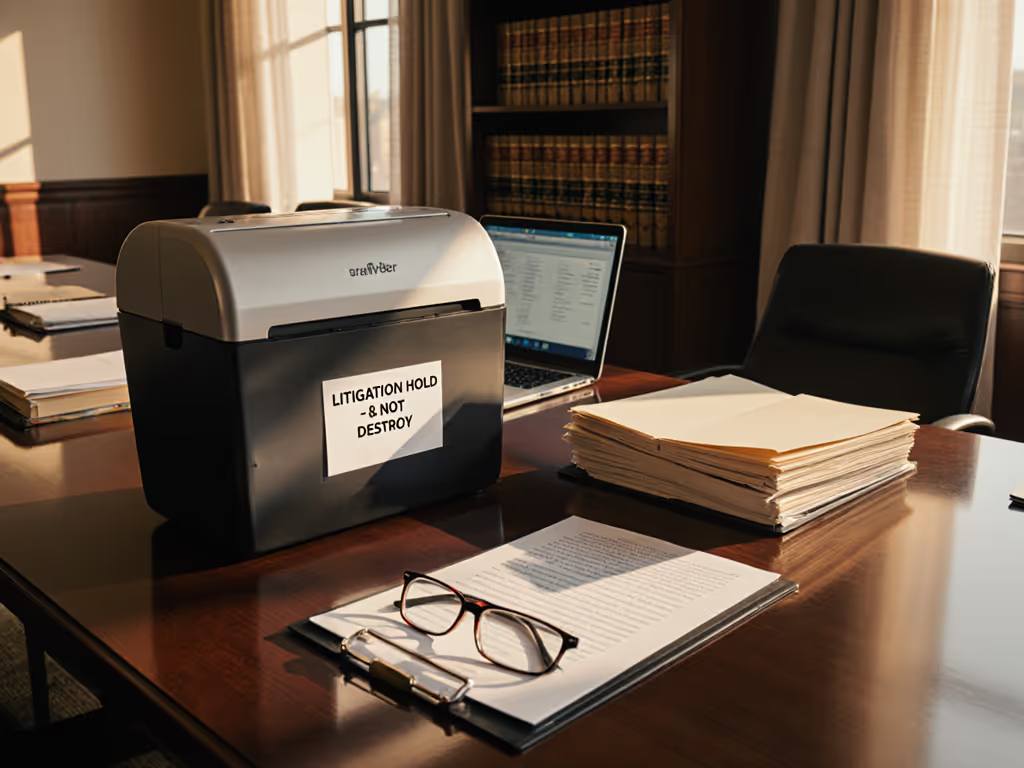
- Does the organization identify a restriction or exception? Training should tell staff to pause and escalate when the organization's policy, legal-hold process, contractual duties, privacy obligations, or internal authorization requires it.
This is the compliance boundary. Organizations handling regulated information can also review these document destruction compliance requirements to understand how shredding supports legal obligations. Completing generic training or selecting a finer cut level does not, by itself, establish compliance.
Build a one-page decision card
Put a short card beside the shredder or in the shared records workspace:
- Destroy now: listed on the approved schedule and authorized.
- Hold for review: unclear category, unclear date, or uncertain authorization.
- Do not decide alone: any record covered by an organization-identified restriction or exception.
- Record the action: only in the way your organization's process requires.
The point is consistency. Staff should never have to trade privacy against retention by intuition.
Step 2: Teach security levels as a document-risk decision
Security labels are useful, but they are not a universal compliance map. For a broader explanation of P-1 through P-7 classifications, consult this shredder security levels guide. HSM's manufacturer-published explanation of the ISO/IEC 21964 (DIN 66399) terminology describes seven paper levels, P-1 through P-7. In that explanation, a higher P number means finer paper particles and greater difficulty of reconstruction.
Use the levels to structure a discussion, then connect the choice to your organization's actual documents and obligations. HSM gives salary statements, personal data, and employment contracts as P-4 examples. It gives medical reports, patents, and design documents as P-5 examples. Those are helpful examples from a shredder manufacturer, not binding classifications for every organization or jurisdiction.
A practical training prompt is:
| Training question | What the user should do |
|---|---|
| What type of information is on the page? | Identify it using the organization's record categories. |
| What level does the organization specify? | Follow the internal requirement or escalate if none is listed. |
| Is the installed device suitable? | Check the exact device's documented security level. |
| Is the record eligible for destruction today? | Confirm the approved schedule and authorization before shredding. |
Avoid presenting "micro-cut" as a shorthand for legal compliance. Train to the policy first, then verify that the equipment supports the required level.
Step 3: Cover safety as an operating boundary
Office shredder safety training should be brief, direct, and tied to the equipment actually installed. Teams selecting or replacing equipment should also understand shredder safety certifications, including UL, CE, and ETL markings. OSHA's general machine-guarding guidance notes that moving machine parts can cause severe injuries and that hazards capable of injuring operators or nearby people must be safeguarded or controlled. That is a useful principle for training even though it is not a shredder-specific operating manual.
Your session should require every user to locate and follow the manufacturer documentation for the exact model. Do not replace that manual with a generic jam-clearing, cleaning, or maintenance script.
Teach these boundaries:
- Use the installed safeguards as intended. Do not treat safety features as optional.
- Stay within the model's stated feed limit. A capacity number belongs to a specific machine and feeding mode.
- Read status messages before continuing. A status indicator is a prompt to consult the model's instructions, not a signal to force more material through.
- Stop when operation is unclear. Escalating a problem is better than improvising near equipment.
- Keep the work zone deliberate. Provide a stable location, clear access, and enough room for users to handle documents and the bin without crowding others.
In shared spaces, make placement part of the workflow. Picture the room in plan view: shredder beside a records-prep surface, a short walk from locked storage if used, and away from waiting or focused-work seating where practical. I once watched a clinic waiting room tighten up around a loud shredder; moving to a calmer arrangement, with the unit farther from seating, changed the social temperature as much as the paperwork routine.
Step 4: Train to the exact model's limits
Do not teach a universal sheet count or run-time rule. Review this guide to shredder duty cycles before setting local operating expectations. The numbers must come from the documentation for the device in front of the user.
For example, Aurora identifies its AU200MA as a P-5 micro-cut model with up to 200 sheets in automatic-feed mode and 10 sheets in manual-feed mode. Aurora also states a 60-minute nonstop run time, anti-jam auto-reverse, an 8.5-gallon pullout bin, and indicators for standby, overheat, bin-full, overload, and door-open status. These details are useful only for that model; they are not a general operating standard.
For the Fellowes Powershred LX220, a retailer listing describes a P-4 micro-cut shredder with up to 20-sheet capacity and a stated run time of up to 30 minutes before 15 minutes of downtime. Use the manufacturer manual for the specific LX220 installed in your office before teaching detailed operation or maintenance.
The training exercise is not "memorize the numbers." It is find the correct numbers, identify the feed mode, and stop when a condition calls for the manual.
Step 5: Use a short, observable training checklist
A useful training checklist for shredding measures decisions and behaviors rather than trying to create a formal credential without a basis for doing so.
Have each user demonstrate that they can:
- Locate the current retention/destruction policy and the escalation contact.
- Distinguish an authorized destruction task from a record that needs review.
- Find the installed shredder's model-specific manual.
- Identify the stated security level and feed limit for the intended mode.
- Recognize the device's available status indicators or controls from its documentation.
- Explain when they will stop and ask for help.
- Leave the disposal area orderly for the next user.
You may call successful completion an internal user certification for shredders if that fits your workplace language. This article does not prescribe a universal certification curriculum, passing score, trainer credential, or refresher interval. Define those locally, with the scope clearly stated, rather than copying a made-up standard.
Step 6: Review the process when the work changes
Review training when your retention schedule, authorization process, installed equipment, or document categories change. A new auto-feed machine, for example, changes what users need to verify at the point of use; it does not change which records are authorized for destruction.
Keep the review small: confirm the policy card is current, make sure the correct manual is available, and ask users to walk through one realistic document-disposal decision. This catches ambiguity before a busy cleanout turns it into a mistake.
Frequently Asked Questions
How much paper should I load at once?
There is no universal number. Follow the stated limit for the exact model and feed mode. Aurora states that the AU200MA accepts up to 200 sheets through automatic feed and up to 10 sheets manually. A retailer listing for the Fellowes LX220 states up to 20 sheets. Verify your installed machine's documentation before use.
How long can a shredder run?
Run time is also model-specific. Aurora states 60 minutes of nonstop operation for the AU200MA. A retailer listing states that the Fellowes LX220 runs up to 30 minutes before 15 minutes of downtime. Treat these as model examples, not a rule for other units.
How do we get a destruction certificate?
NIST SP 800-88 Rev. 1 includes a sample Certificate of Sanitization in supplemental material. However, that publication was withdrawn on September 26, 2025 and superseded by Rev. 2, and the available material does not establish a certificate process for onsite paper shredding or third-party paper-destruction services. Follow your organization's documented process and applicable obligations.
Further exploration: make disposal routine, not dramatic
The strongest shredder user training is a calm, repeatable loop: classify the record, confirm authorization, use the specific machine within its documentation, and escalate uncertainty. From there, explore your own workflow: map where paper accumulates, identify who owns destruction decisions, and make the approved policy and model manual easier to reach than a guess. That is how document disposal becomes both more secure and more considerate of the people sharing the space.
Related Articles